Introduction to CRM for Small Businesses
Customer Relationship Management (CRM) software has become an essential tool for small businesses aiming to grow efficiently in a competitive digital landscape. Whether you run an online store, a service-based company, or a startup, managing customer interactions effectively can determine your long-term success.
CRM software helps businesses organize contacts, track sales, automate marketing, and improve customer service—all in one centralized system. With the right CRM, small businesses can streamline operations, save time, and ultimately increase revenue without needing large teams or complex infrastructure.
What Is CRM Software and Why It Matters
CRM software is a digital platform designed to manage your company’s relationships and interactions with current and potential customers. It stores customer data, tracks communication history, and helps automate repetitive tasks.
For small businesses, this matters because:
- It reduces manual data entry
- Improves customer communication
- Helps track leads and sales pipelines
- Increases conversion rates
- Provides insights through analytics
Popular CRM providers like Salesforce, HubSpot, and Zoho have made CRM tools more accessible and affordable for smaller companies.
Key Features to Look for in CRM Software
Ease of Use
Small business owners often don’t have time for complicated systems. A CRM should have a clean interface, simple navigation, and minimal learning curve.
Contact Management
A good CRM allows you to store customer information such as names, emails, phone numbers, and interaction history in one place.
Sales Pipeline Tracking
This feature helps you visualize where each lead is in the sales process, making it easier to close deals.
Automation
Automation tools can handle repetitive tasks like sending follow-up emails, assigning leads, and updating records.
Reporting and Analytics
Insights from CRM data help you make better business decisions by tracking performance metrics.
Integration Capabilities
The CRM should integrate with tools you already use, such as email platforms, accounting software, and marketing tools.
Benefits of CRM Software for Small Businesses
Improved Customer Relationships
CRM software helps you understand customer behavior, preferences, and history, allowing for personalized communication.
Increased Sales Efficiency
With automated workflows and organized pipelines, your team can focus more on selling rather than administrative tasks.
Better Collaboration
A centralized system ensures that everyone on your team has access to the same customer information.
Time and Cost Savings
Automation reduces manual work, saving both time and operational costs.
Data-Driven Decisions
CRM analytics provide insights that help improve marketing strategies and sales performance.
Top CRM Software Options for Small Businesses
HubSpot CRM
HubSpot offers a free CRM with powerful features, making it ideal for startups and small businesses.
Key Features
- Free plan available
- Email tracking and notifications
- Sales pipeline management
- Marketing automation tools
Best For
Businesses looking for a free and scalable CRM solution.
Zoho CRM
Zoho provides an affordable CRM packed with features suitable for growing businesses.
Key Features
- AI-powered sales assistant
- Workflow automation
- Multi-channel communication
- Customizable dashboards
Best For
Businesses needing a balance between cost and functionality.
Salesforce Essentials
Salesforce offers a small business version of its powerful CRM platform.
Key Features
- Advanced reporting
- Lead and opportunity tracking
- Mobile app support
- Integration with multiple apps
Best For
Small businesses planning to scale quickly.
Freshsales
Freshworks provides Freshsales, a CRM focused on simplicity and automation.
Key Features
- Built-in phone and email
- AI-based lead scoring
- Visual sales pipelines
- Automation workflows
Best For
Teams that want an intuitive and easy-to-use CRM.
Pipedrive
Pipedrive is known for its sales-focused design and ease of use.
Key Features
- Drag-and-drop pipeline
- Activity reminders
- Sales forecasting
- Integration with many apps
Best For
Sales-driven teams that need a simple and visual tool.
How to Choose the Right CRM for Your Business
Identify Your Needs
Start by understanding your business goals. Do you need better lead management, improved customer service, or marketing automation?
Set a Budget
CRM software comes in various pricing tiers. Choose one that fits your budget while still offering essential features.
Consider Scalability
Your CRM should grow with your business. Look for platforms that offer upgrades and additional features over time.
Test Before You Commit
Many CRM providers offer free trials. Use them to evaluate usability, features, and compatibility with your workflow.
Check Customer Support
Reliable customer support is crucial, especially if you’re new to CRM systems.
Common Mistakes to Avoid
Choosing Based Only on Price
While affordability is important, the cheapest option may lack essential features.
Ignoring User Experience
A complicated CRM can reduce productivity instead of improving it.
Not Training Your Team
Even the best CRM won’t work if your team doesn’t know how to use it effectively.
Overloading with Features
Choose a CRM that matches your needs instead of one with unnecessary complexity.
Tips for Successful CRM Implementation
Start Simple
Begin with basic features and gradually explore advanced tools.
Clean Your Data
Ensure that your customer data is accurate and organized before importing it into the CRM.
Automate Gradually
Implement automation step by step to avoid confusion.
Monitor Performance
Track key metrics to evaluate how the CRM is improving your business processes.
Encourage Team Adoption
Make sure your team understands the benefits and actively uses the system.
Future Trends in CRM Software
Artificial Intelligence Integration
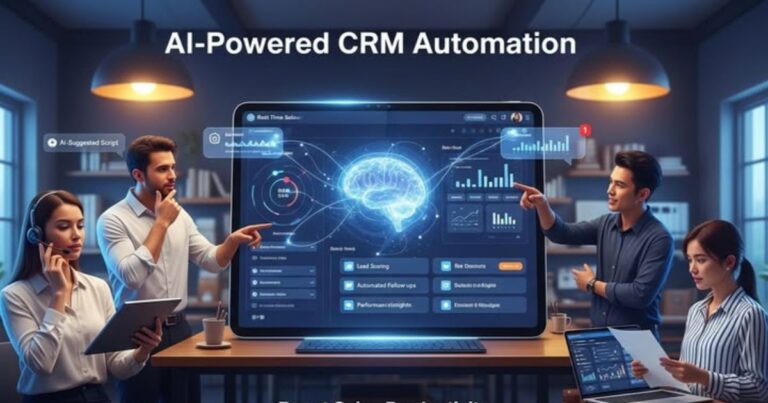
AI is becoming a major component in CRM systems, helping businesses predict customer behavior and automate decision-making.
Mobile CRM
More businesses are using mobile-friendly CRM platforms to manage operations on the go.
Personalization
CRM tools are increasingly focusing on delivering personalized customer experiences.
Integration with Other Tools
Seamless integration with marketing, finance, and e-commerce platforms is becoming standard.
Conclusion
Choosing the best CRM software for your small business is a critical decision that can significantly impact your growth and efficiency. By understanding your needs, evaluating key features, and selecting a scalable solution, you can build stronger customer relationships and drive higher revenue.
Whether you choose HubSpot for its free tools, Zoho for affordability, or Salesforce for advanced capabilities, the right CRM will help you stay organized, improve communication, and grow your business sustainably.